
‹ All FLEXICON Legs Exercises
Assisted Squat On FLEXICON
The FLEXICON assisted squat lets you hold the machine handles while you squat, so the bands take part of your body weight. It is the way to build squat depth and leg strength when a full body-weight squat is too much for your knees.
- Muscles Worked
- Quads, Glutes · also Hamstrings, Core
- Equipment
- FLEXICON Tower
Start And Finish Positions
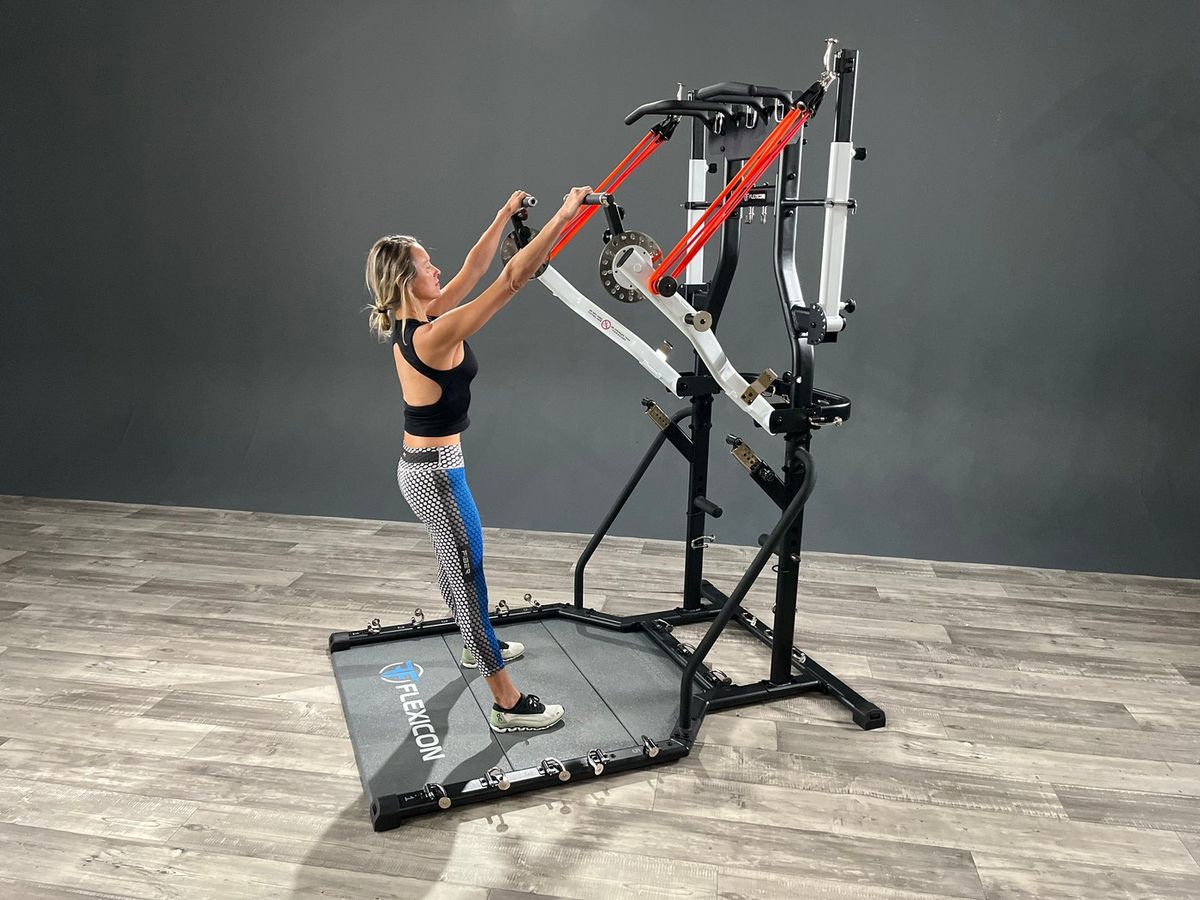
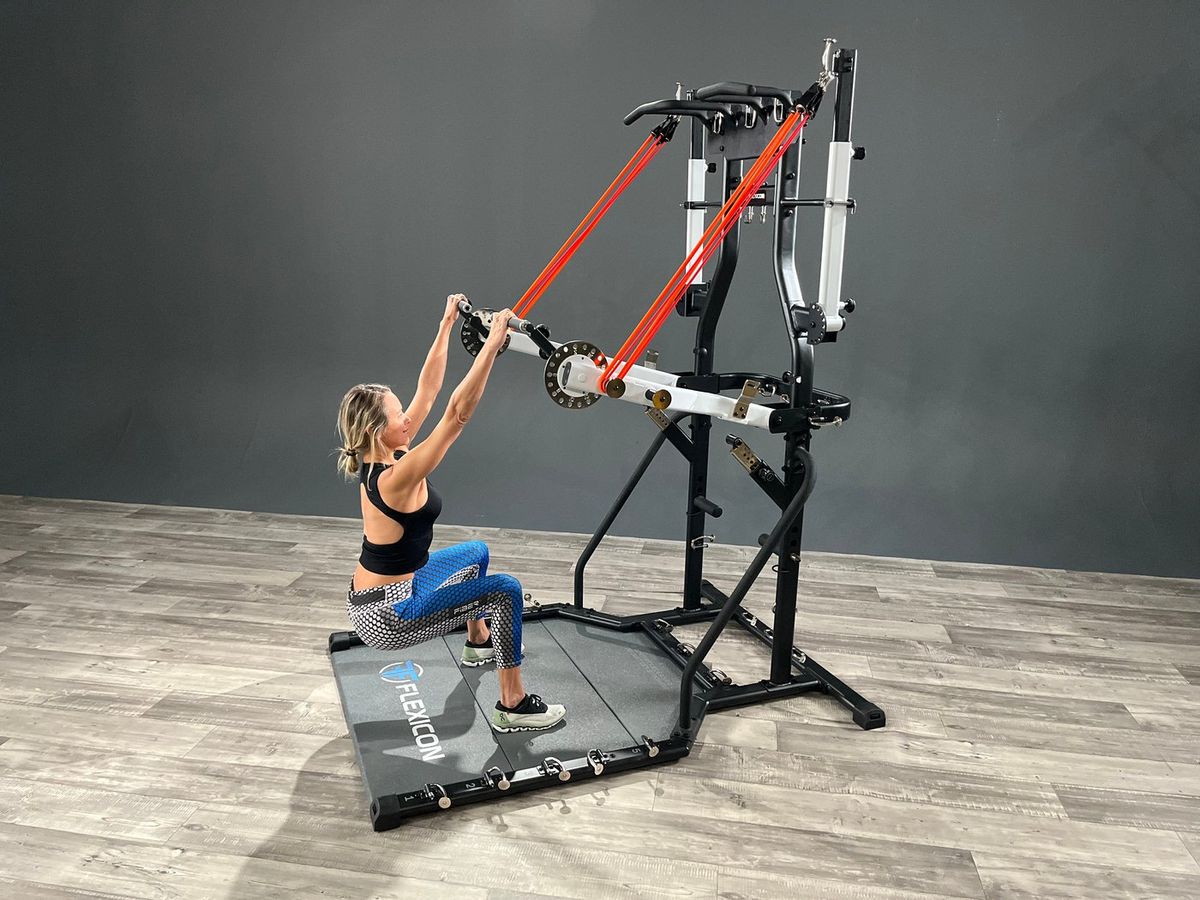
Machine Settings
- Stopper Arms
- Not used
- Bench
- Not used
- Bands
- Loop clipped in (see photos)
- Handle Position
- Machine handles, held at chest height
How To Do It
- 1 Stand facing the tower, feet about hip width apart, and hold the machine handles with your arms straight.
- 2 Sit your hips back and down into a squat, letting the handles and bands take part of your weight.
- 3 Drive through your whole foot to stand back up, keeping your arms long.
Points To Remember
- Go only as deep as is comfortable for your knees.
- Keep your Chest up and your back flat.
- Use the handles for support, not to pull yourself up.
Questions About The Assisted Squat
What muscles does the Assisted Squat work?
The Assisted Squat on FLEXICON works the Quads and Glutes, with help from the Hamstrings and Core.
How do you set up the Assisted Squat on FLEXICON?
Stopper Arms: Not used. Bench: Not used. Bands: Loop clipped in (see photos). Handle Position: Machine handles, held at chest height. The start and finish photos on this page show the set-up.
Follow Along With The Assisted Squat
The free Bodylastics app has a set-up video for every FLEXICON exercise, plus starter challenges to follow. Its full library has more than 4,400 workouts in all, most of them general resistance band workouts.


